
Lumio HDR Studio
Beyond Dynamic Range.
Your old videos were always this beautiful.
You just couldn't see it yet.

Note Your browser or display can't show HDR, so both views will look alike here.
Your memories, seen in a new light.
Drone footage, iPhone slow motion, films finished decades ago.
Whatever the source, Lumio rebuilds it as a real HDR file,
with highlights that reach where SDR never could.
Not a preview. The result.
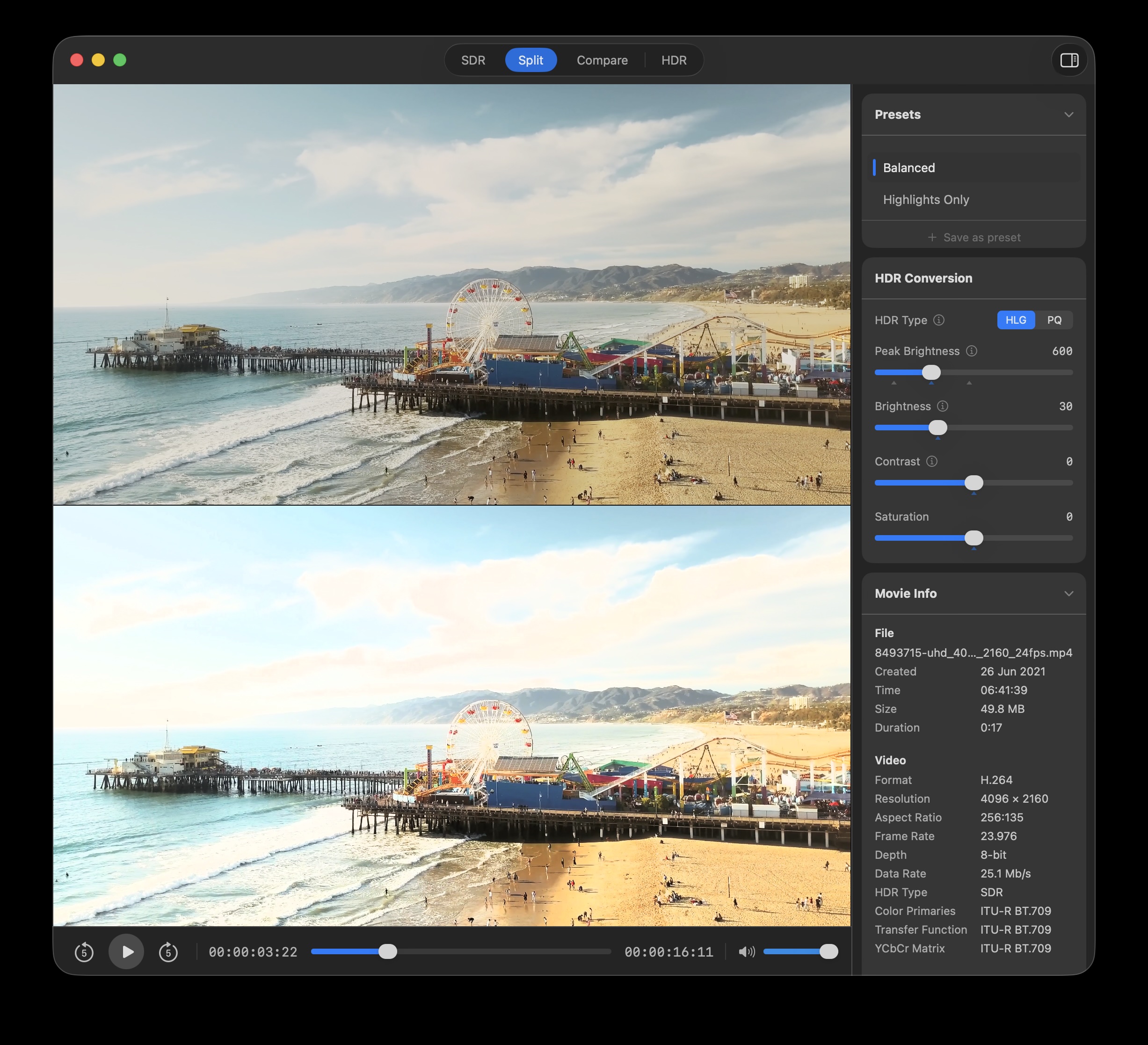
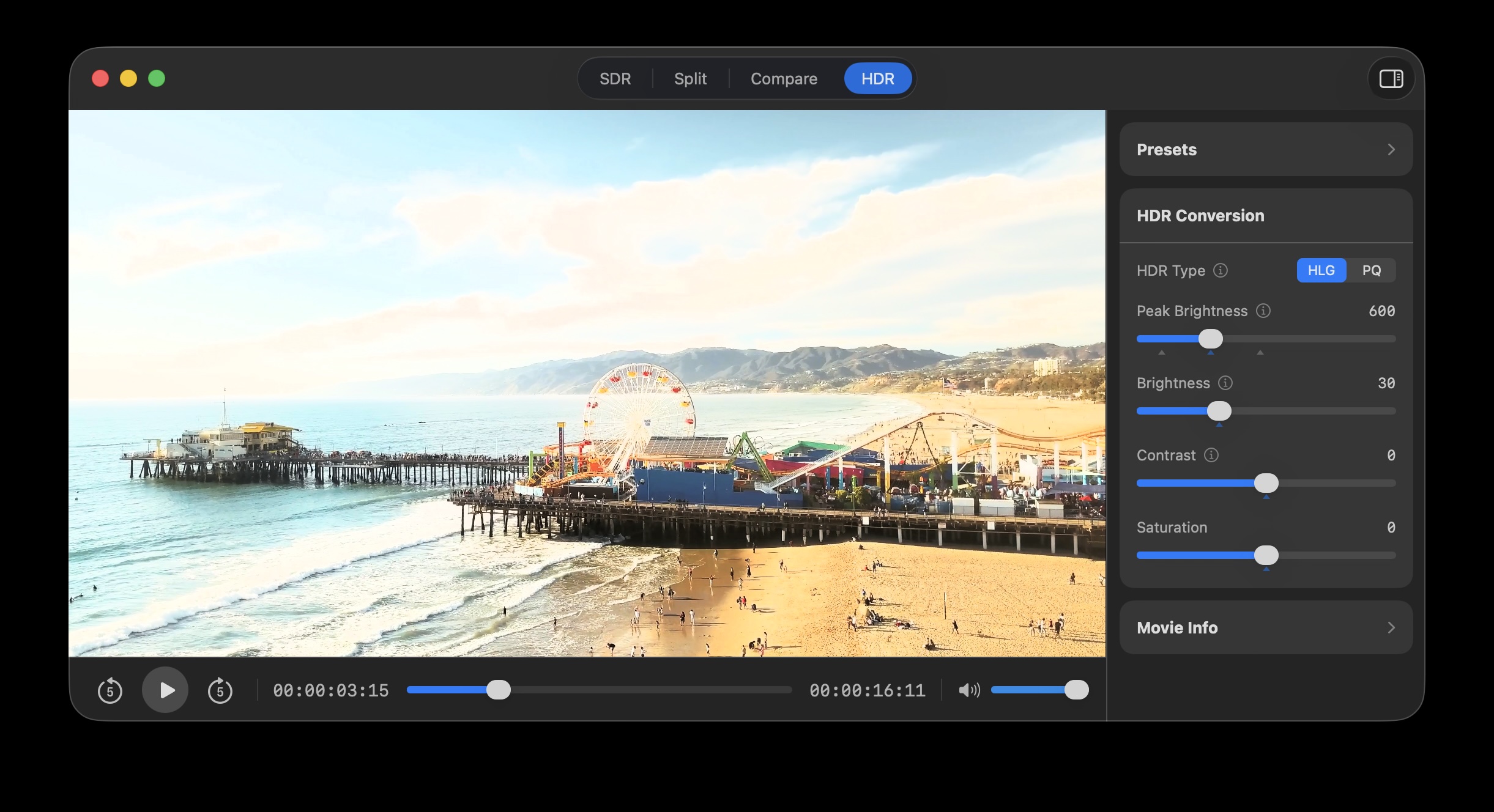
What you are looking at is the finished conversion, rebuilt for every frame exactly as the export will render it. There is nothing to wait for, whether the video is playing, paused on a single frame, or being scrubbed. When the look is right, export to a file or save straight to Photos. A preset stores the look for later.
-
PresetsStarting points for the look. Cinema saves the extra brightness for the highlights, like professionally graded HDR films. Bright spreads it over almost the whole picture, like HDR video from an iPhone. Balanced, the default, sits in between.
-
HDR TypeHLG or PQ. The HDR standard Lumio writes.
-
Peak BrightnessHow bright the brightest highlights get, in nits.
-
BrightnessPeak Brightness only lifts the top. Brightness fills in the rest, the midtones first, then the shadows.
-
ContrastWidens or narrows the gap between light and dark, without pushing past the peak you set.
-
SaturationColor intensity. The one control here that does exactly what you expect.
Four ways to look at it.
Specifications
| Processing | Metal accelerated. Every frame is processed in floating point and carried at 16 bits per channel, under a millisecond per frame.* * Median 0.69 ms per frame, 8 percent of the display budget, with no dropped frames over 925 frames. Measured on a MacBook Pro with M3 Pro, playing 30 fps material on a 120 Hz display. |
|---|---|
| Color science | Inverse tonemapping from Rec.709 to Rec.2020, written as PQ or HLG. With HEVC, PQ is written as HDR10* and HLG as Dolby Vision†. * HDR10 files carry mastering display metadata (ST 2086) set from the Peak Brightness you chose, not generic placeholder values. † HLG output is written with Dolby Vision Profile 8.4 metadata, which uses an HLG base layer. A player without Dolby Vision support reads the same file as ordinary HLG. |
| Read | MP4, MOV and M4V files, in SDR or HDR, and streams* over HLS. * A stream is watched through the conversion as it arrives. Nothing is written to disk, so it is a way to see material rather than a way to produce a file. |
| Write | MP4 or MOV, in HEVC, H.264 or ProRes 422 HQ.* * HEVC and ProRes 422 HQ write 10-bit, H.264 writes 8-bit. ProRes 422 HQ writes to MOV only. |
| Data rate | For HEVC and H.264, chosen from the source file automatically, or set by hand between 5 and 200 Mb/s. ProRes 422 HQ targets its own. |
| Photos | Read from your Photos library and write back to it, either as a new movie or by modifying the original.* * Photos keeps the untouched version, so the change can be reverted. |
| Requirements | macOS 26 Tahoe or later, on Apple silicon. |
Before you buy.
How much difference will you see?
That depends on the display in front of you, and it is worth knowing before you spend anything. A conventional backlit display reaches around twice the brightness of white. An XDR panel reaches many times that. On a modest display the before and after can look almost identical, and turning your display brightness down is what helps, because it frees up headroom for the highlights.
The file itself is correct either way. Lumio writes a real HDR file, and it will look right on an iPhone, a MacBook Pro or an HDR television, whether or not your Mac can show you all of it today.
Lumio checks your display when it starts, and tells you if it has little or no headroom.
Buy once. Own forever.
$14.99
One purchase. No subscription.
- Works offline. Nothing leaves your Mac.
- See the result before you export it.
- Export to a file, or straight to Photos.
- Free updates for the life of the app.
macOS 26 Tahoe or later, on Apple silicon
Questions
More questions and supportIs this a video editor?
No. Lumio is a dedicated tool. SDR or HDR goes in, correctly mastered HDR comes out, with very little between the two.
Is it AI?
No. Lumio uses mathematical inverse tonemapping. A fixed curve per pixel cannot flicker between frames, and there is no model to download or warm up.
Is my footage private?
Everything happens locally through Metal. There is no account, no cloud and no server for your video to go to. Streaming a source over HLS uses the network, because it has to. Your video is never sent anywhere.